
Spoolman is a free, self-hosted filament inventory: it keeps track of every spool you own and how much is left on it. SlicerX reads that inventory, so each filament slot can point at a real spool, and after a print it can subtract what the print used.
Set up Spoolman
Run Spoolman on your network.
Install it with Docker or on its own on a computer on your local network, and add your spools in its web page. It listens on port 7912.
Note its address.
It looks like
http://192.168.1.50:7912: the plainhttp://address of that computer on your network. SlicerX refuseshttps://addresses and addresses outside your network.Add it in SlicerX.
Open Settings, Printer bridge, and find the Spoolman section. It shows once SlicerX is connected to the printer bridge, the part of SlicerX that talks to your printers. Type the address and press Add Spoolman. You can leave out
http://and the port: SlicerX fills in both.Check that it answers.
SlicerX tests the address right away. Connected and the number of spools it found mean it works. Test connection checks again later, and Remove Spoolman disconnects it.
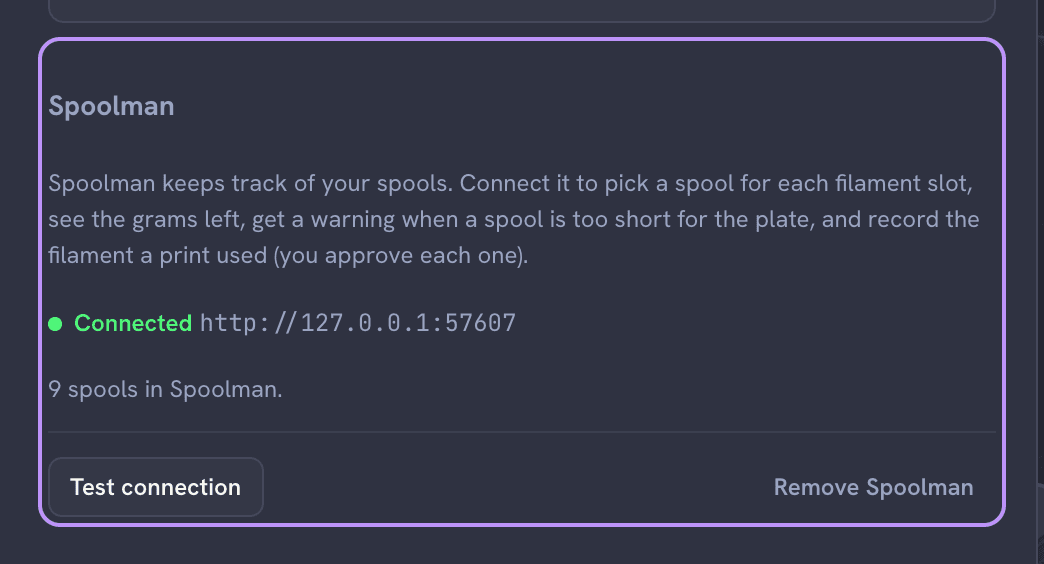
Connected to a Spoolman simulator, with the spools it found.
Link a slot to a spool
Open the slot.
In Model, click a filament slot (Edit filament on its swatch) to open its Filament dialog.
Pick the spool.
The Spool list shows your Spoolman spools with their material and how many grams are left. Type in Search spools to narrow the list; when your spools come from more than one vendor, a vendor filter appears beside it. Picking a spool fills in the slot's material and color. Not linked removes the link.
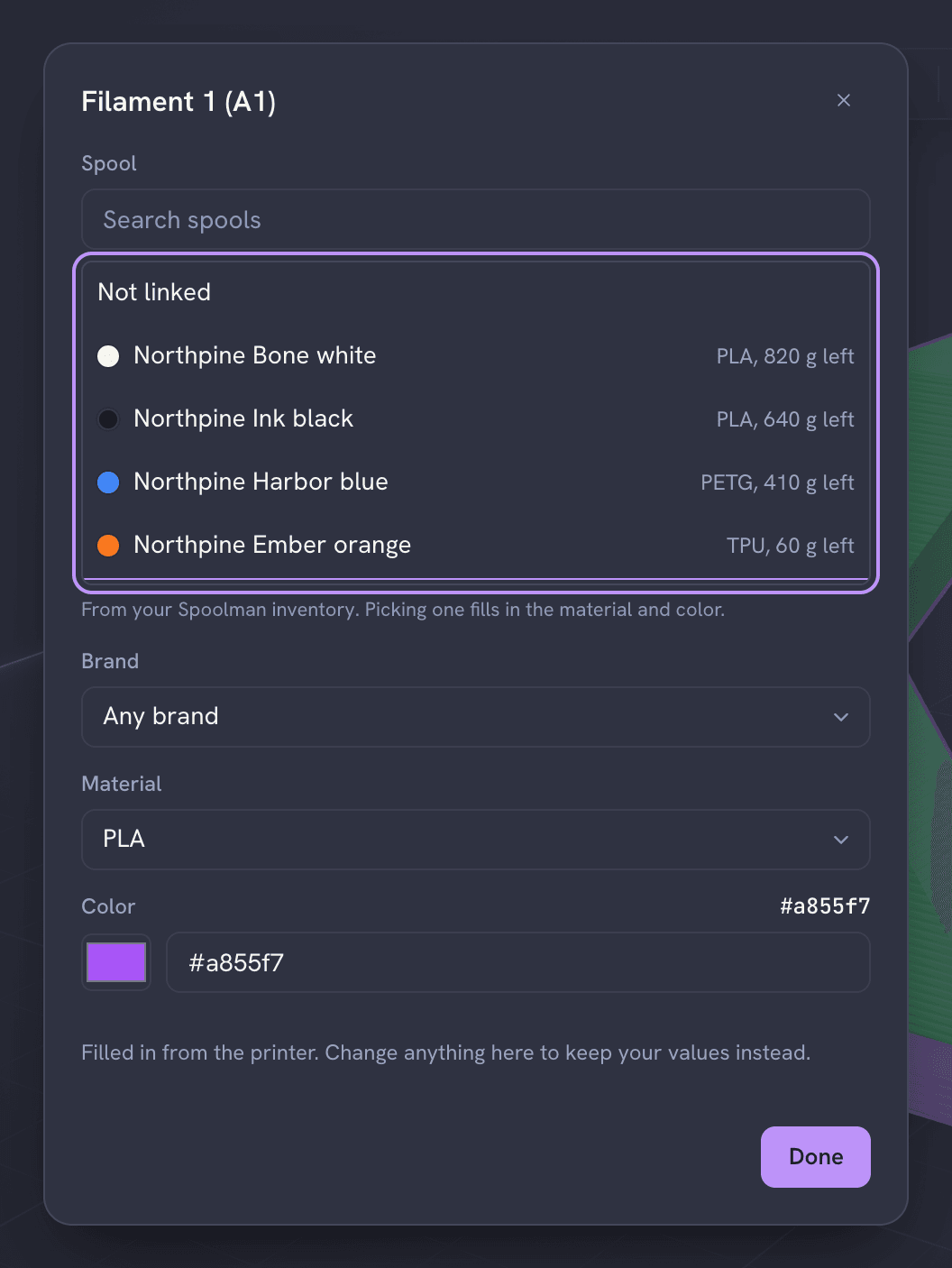
Each spool with its material and the grams left.
If your printer reports which spool sits in a slot, SlicerX uses that link until you pick a different one.
Check before you print
After slicing, the Filament use block in Preview lists what each slot uses. When a linked spool holds less than the plate needs, a warning names the spool, the grams it has left and the grams the plate needs, so you can swap the spool before the print runs out.
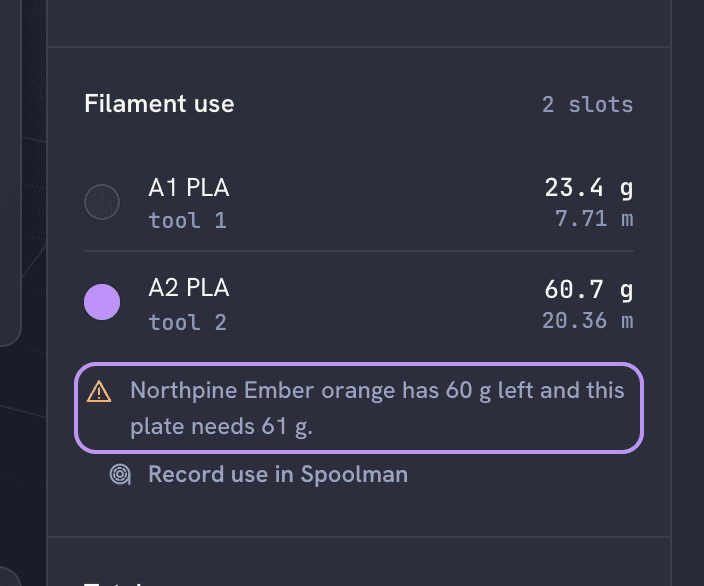
Record what a print used
Record use in Spoolman, under Filament use, subtracts the plate's filament from the linked spools.
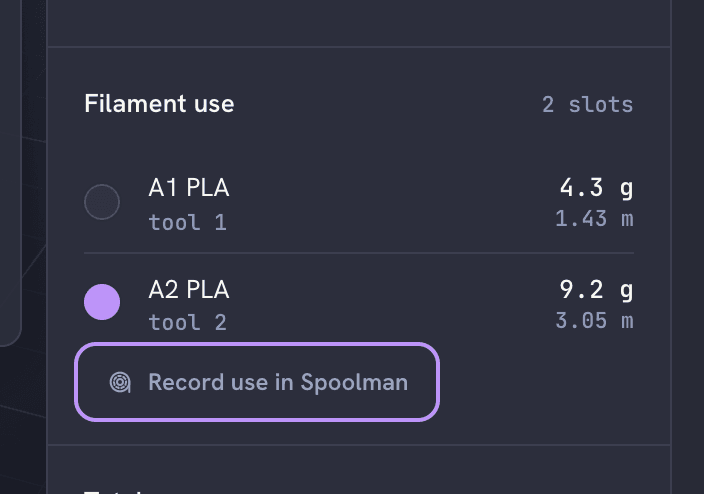
When a print started from SlicerX finishes, SlicerX offers the same thing. Either way it asks first: the approval card "Subtract this print from your spools in Spoolman?" lists each spool and amount, with Approve and Deny, and nothing changes until you approve. A failed or canceled print is not subtracted, because how much it used is not known.
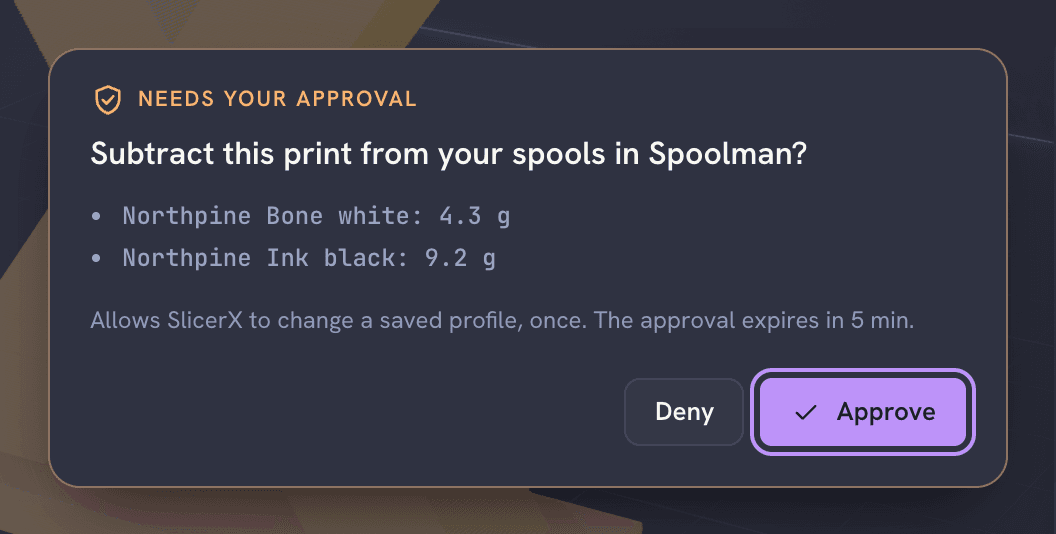
Reading the inventory never asks for approval. Changing it always does.
Common problems
| Message or symptom | Cause and fix |
|---|---|
| Not answering: "Spoolman did not answer at that address." | The address or port is wrong, or the Spoolman server is off. Fix it and press Test connection. |
| "Use the plain http:// address of Spoolman on your network." | SlicerX talks to Spoolman over plain http:// on your network; https:// addresses are refused. |
| A spool is missing from the list | Spoolman hides archived spools. Unarchive it in Spoolman. |
| Recording use is refused | An approval covers exactly the spools and grams it lists. Ask again. |