
A Rust-based open source slicer for builders and makers.
With PrintPilot built in and an MCP server for your own AI tools.
Downloador open it in your browserThe AI-ready slicer
- Free and open source
- Rust slicing core
- PrintPilot built in
- MCP server
- Bambu Lab, Prusa and Klipper
Works with
Your printer, your firmware and your AI tools.
[ PRINTERS ]
- Bambu Lab

- Creality
- Elegoo
- Voron
- Snapmaker

- Anycubic
- Sovol
- Qidi
[ CONNECTIONS ]
- Bambu LAN
- Moonraker
- Klipper
- PrusaLink
- OctoPrint
- Mainsail
- Fluidd
- Home Assistant
- Spoolman
[ AI TOOLS ]
- Claude
- Cursor
- GitHub Copilot
- Windsurf
- Zed
- Any MCP client
508 layers in 0.19 s.
A Rust job graph on every core. Change a setting and only that step runs again.
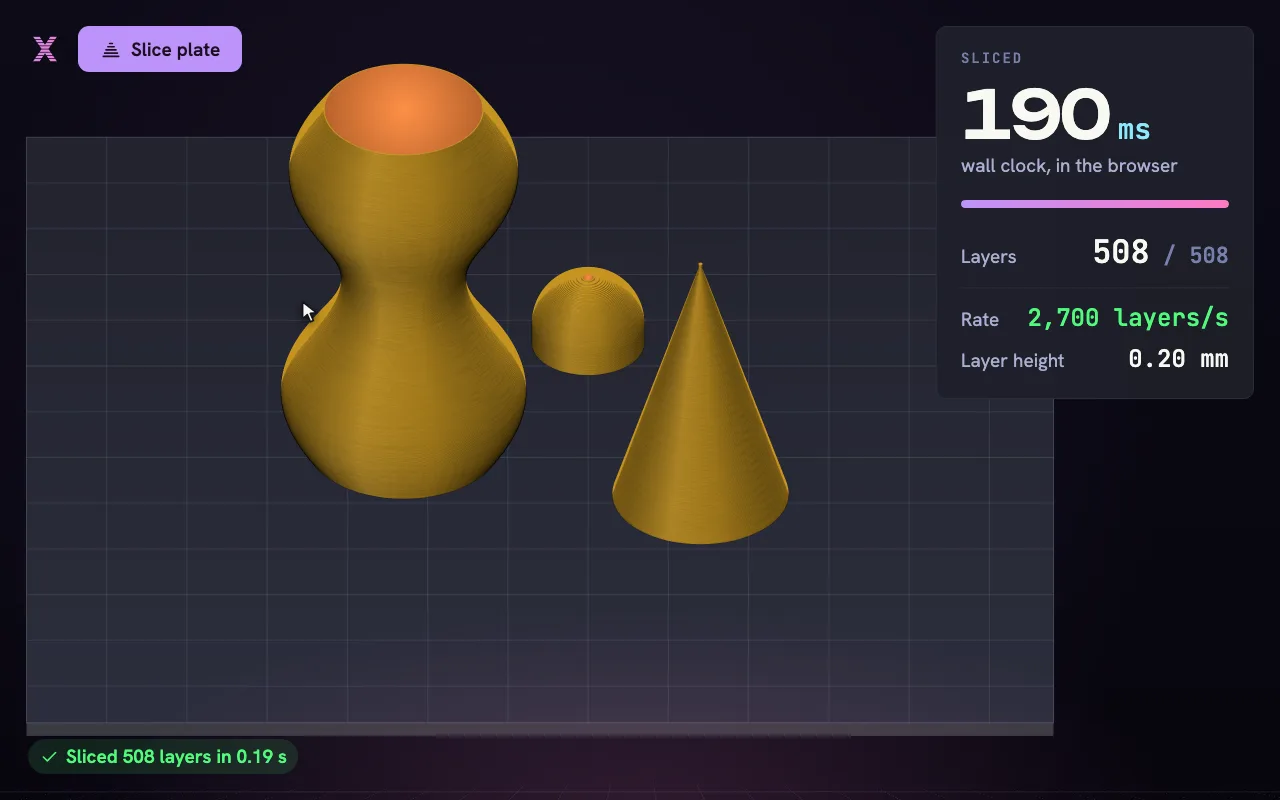
0.19s
to slice 508 layers at 0.20 mm
- layers at 0.20 mm
- 508
- viewport
- 60fps
- launch to ready
- under 1s
Reference plate and machine. Your times depend on your hardware.
From model to print in five steps.
[ IMPORT ]01
Import
Drop in an STL, 3MF or sx3mf. It lands on the plate at true size, in millimeters.
0model on the plate
[ ARRANGE ]02
Arrange
Auto-arrange fills the plate. Orient turns each part to the face that prints best.
0parts placed
[ SLICE ]03
Slice
The Rust engine cuts every layer across all cores. Change a setting and only that step runs again.
0layers in 0.19 s
[ REVIEW ]04
Review
Scrub the layers, switch to the overhang view, and read the time and filament before you commit.
0.0h estimated print time
[ SEND ]05
Send
Approve once. The plate goes to your printer over your network, and you can watch it from your phone.
0approval, then it prints
PrintPilot plans the run and asks before it prints.
Describe the job. It plans the plates and waits for your approval before anything prints.
An example PrintPilot run. You ask it to make a print stronger. It reads the project, turns the part so its layer lines run along the load, plans four setting changes, and lists them for plate 1 without touching your saved profile. Another run slices the plate for a Bambu Lab P1S in PETG and asks you to approve sending it before anything prints. You can ask your own question below, or pick a suggested prompt.
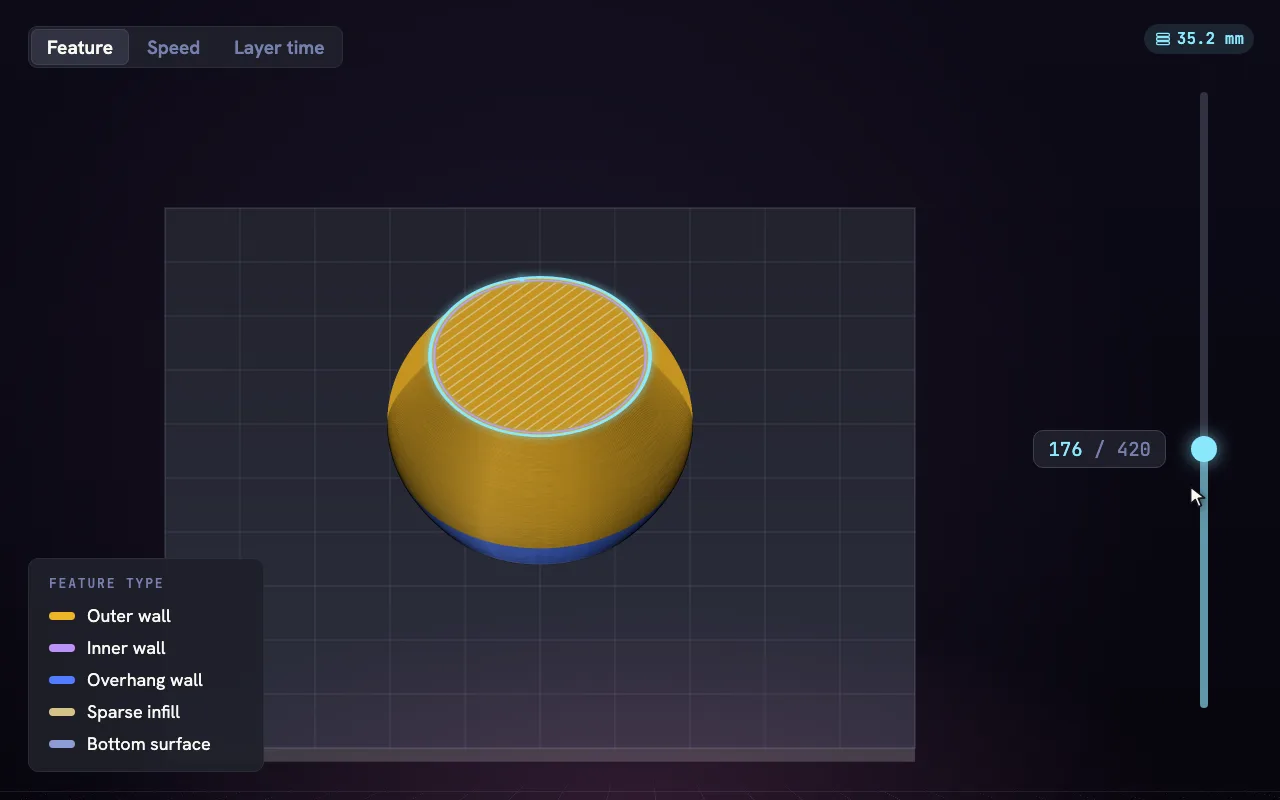
Renders like a product shot.
PBR materials, ambient occlusion and an overhang heatmap, on WebGPU.
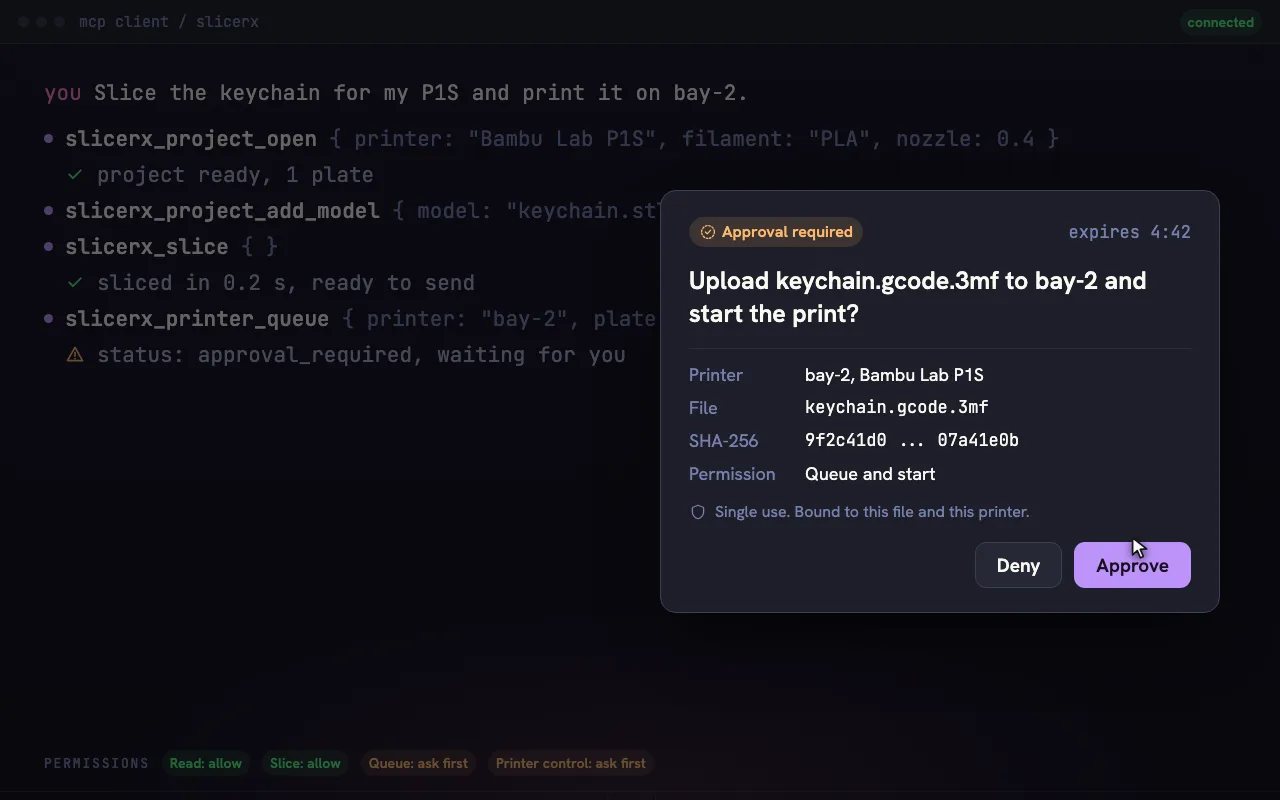
Use SlicerX from your own AI tools.
Your assistant gets PrintPilot's skills: slice, plan settings, arrange and queue plates. Anything that reaches a printer waits for your approval.
Works with
- Claude
- Cursor
- GitHub Copilot
- Windsurf
- Zed
- Any MCP client
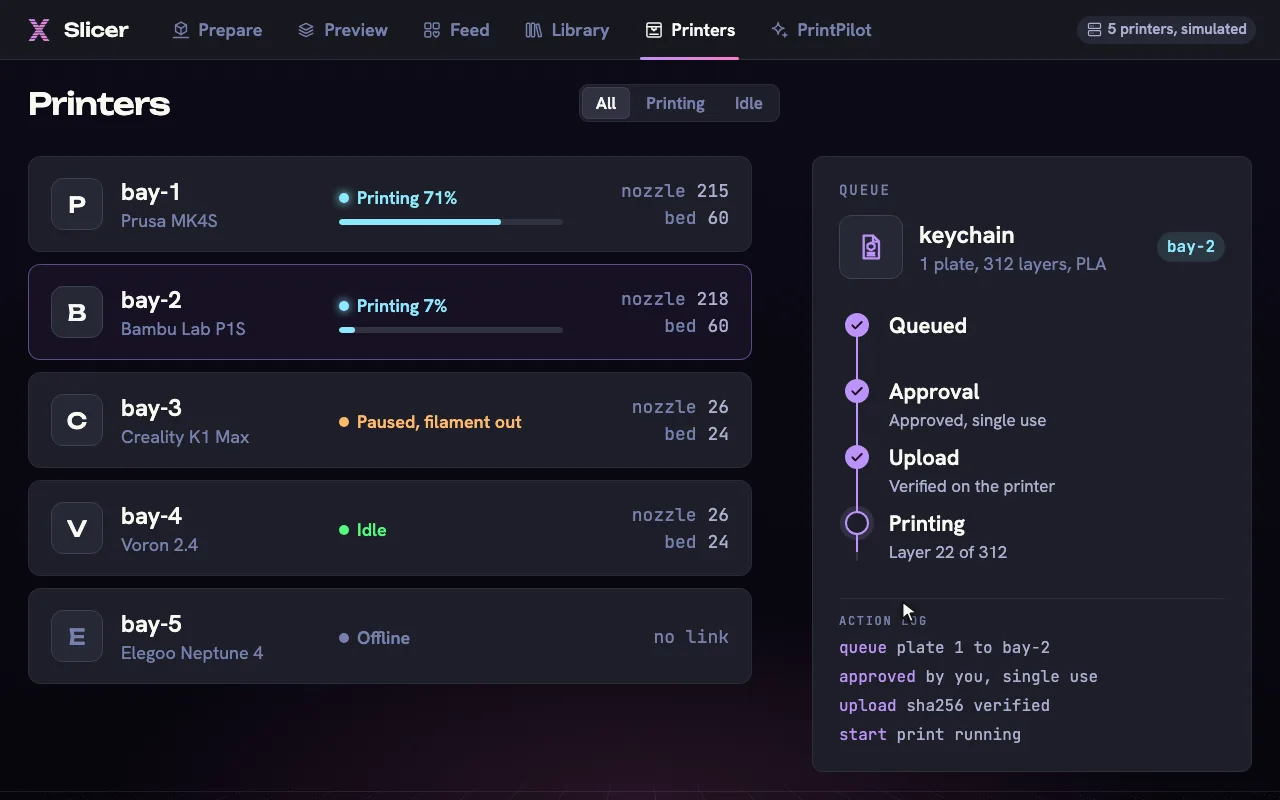
Every printer, one queue.
Bambu LAN, Moonraker, PrusaLink and OctoPrint in one list.
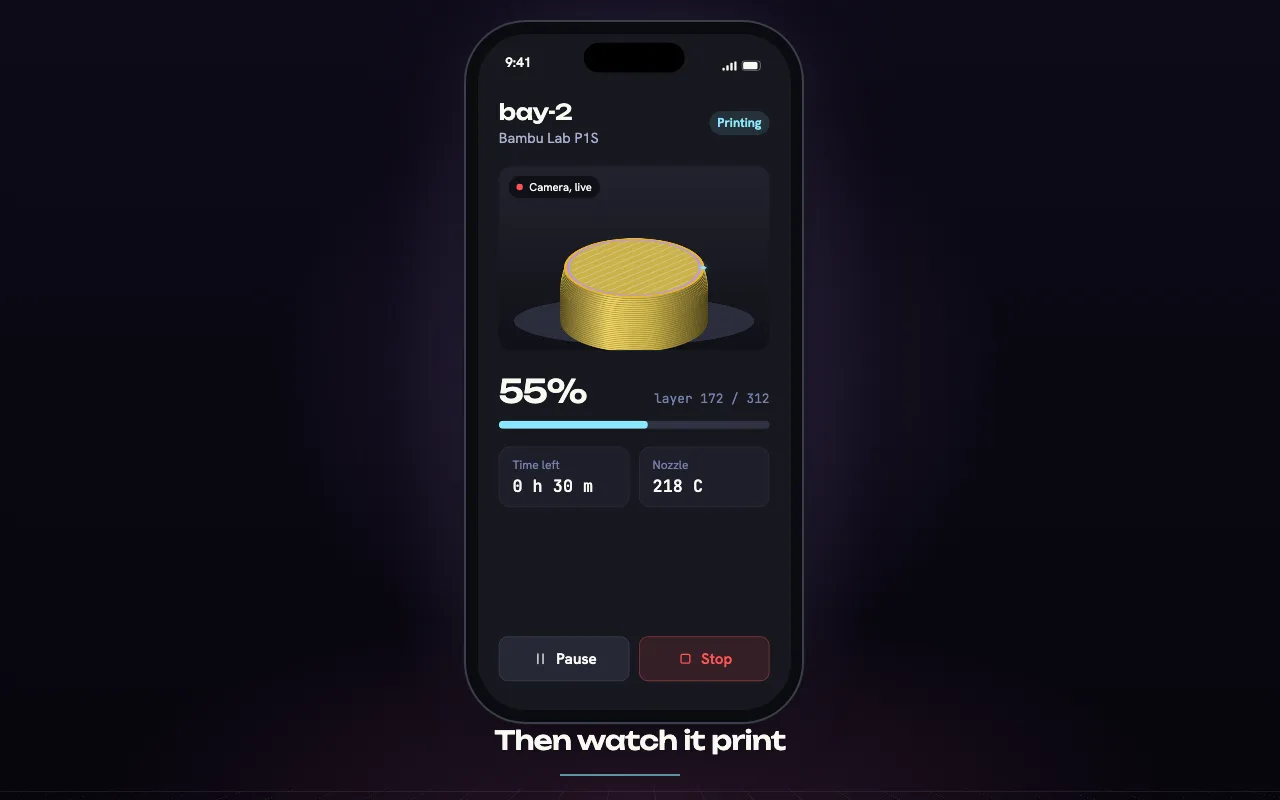
Pair your phone. Watch it print.
Pair your SlicerX account, then follow the print: live camera, progress, time left and an alert when it finishes.
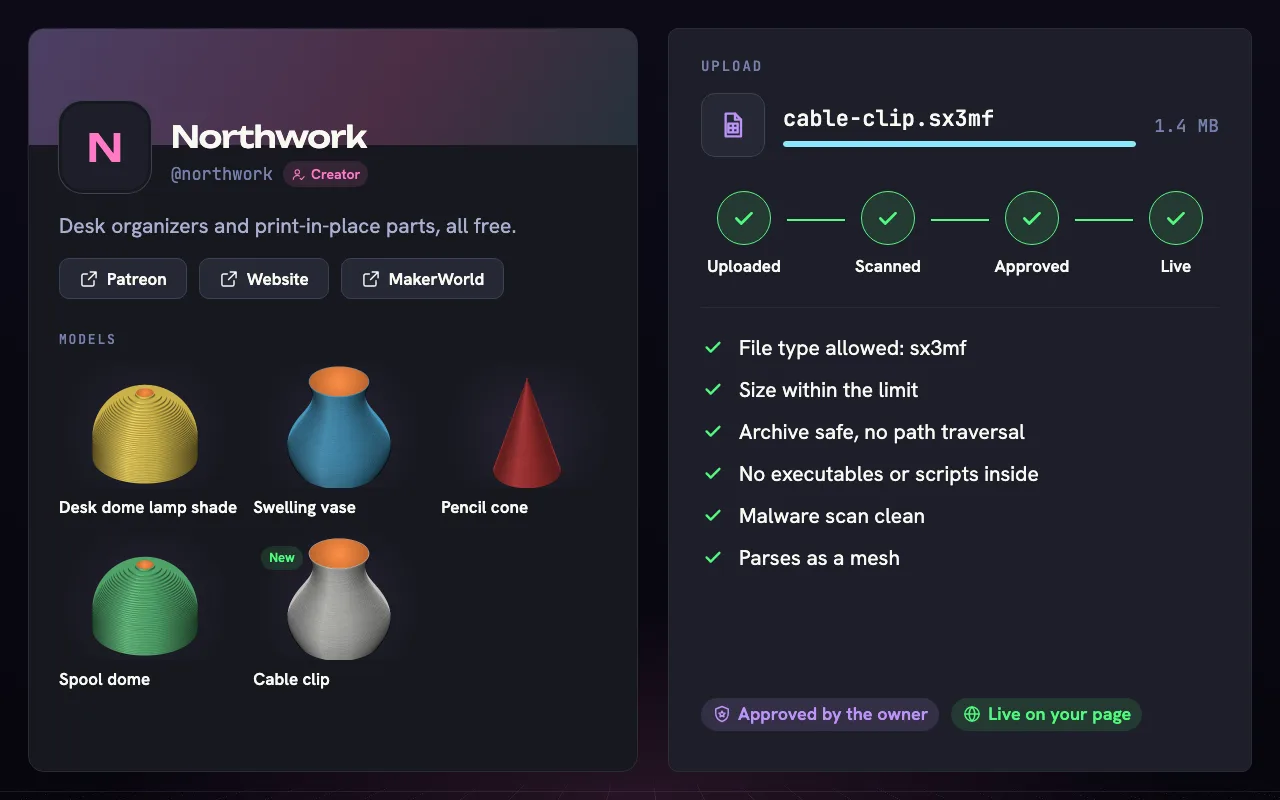
Kickstart your 3D designs with discovery through SlicerX.
Upload for free. Your models land in the library and the Feed, with a creator page for your links.
Why it is built this way.
Every choice below is in the repository, with the reason beside it.
[ RUST ]
A Rust slicing engine
sx-core slices, plans paths and writes G-code. sx-geom cuts, repairs, hollows and embosses meshes.
WhyOne engine for the browser, the desktop app, the command line and embedding. Pure Rust crates, no C++ build.
[ WEBASSEMBLY ]
WebAssembly in the browser
The same core compiles to WASM and runs on a pool of Web Workers, each slicing a range of layers.
WhyIt needs no SharedArrayBuffer and no cross-origin isolation, and sharded and unsharded runs give identical bytes.
[ TAURI 2 ]
Tauri 2 on the desktop
The app uses the system webview: WKWebView on macOS, WebView2 on Windows, WebKitGTK on Linux. The core runs natively with rayon.
WhyNo bundled browser engine, and the same React app runs in the browser and on the desktop.
[ VIEWPORT ]
WebGPU with a WebGL2 fallback
three.js draws the preview with GPU instancing from one packed buffer, 32 bytes per segment.
WhyScrubbing layers changes an instance range instead of rebuilding buffers.
[ CONNECTORS ]
Connectors and approvals in Rust
Printer connectors, the model transport and the approval check are Rust crates. Browsers reach printers through a localhost bridge built from the same crate.
WhyBrowsers cannot open MQTT over TLS. The approval token is minted below the agent loop, so the model cannot mint one, and the API key never enters the webview.
[ CONTRACTS ]
TypeScript contracts and MCP
One Host interface and shared types in @slicerx/contracts. The MCP server @slicerx/mcp starts with npx.
WhyThe browser build and the desktop app each supply a Host, and your own AI tools get the same skills and approvals.
Get SlicerX.
Free for every platform. Use it in your browser, or install it.
SlicerX Studio runs in your browser.
Builds for macOS, Windows and Linux are coming soon. The web version is ready now.
Free and open source.
Use it in your browser, install it, or read every line.
- Forked from OrcaSlicer. The base kit is MPL-2.0 and the app is AGPL-3.0.
- Kickstart your slicer app today. Read the docs
- Built by subydev. subydev is a CAD software engineer with a background in 3D printing.
SlicerX never handles payments. Each button opens the donation service.